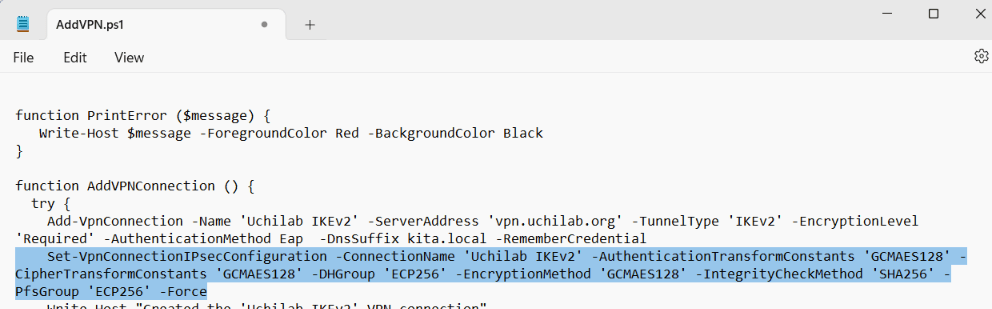
The following IKEv2 IPsec encryption values represent the best‑practice configuration I currently use and recommend:
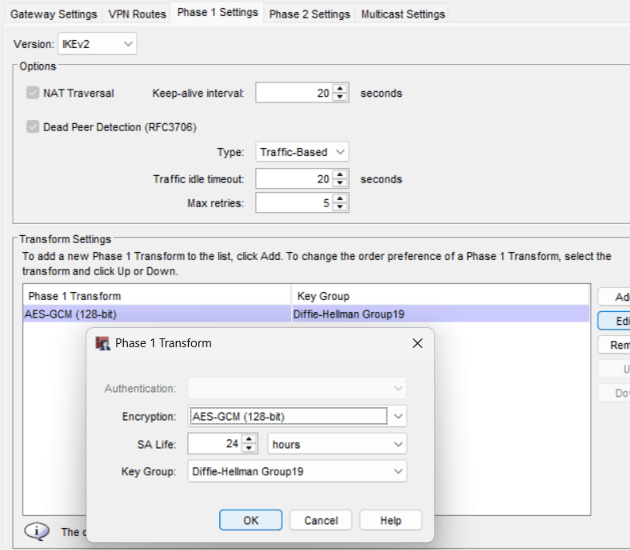
BOVPN Phase 1:
- Encryption: AES‑GCM‑128
- Diffie‑Hellman Group: 19
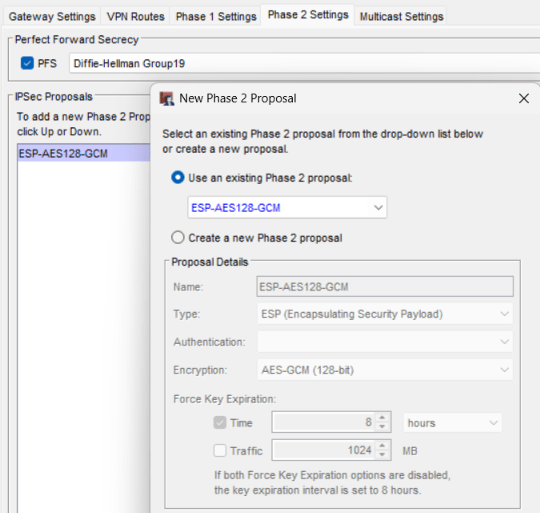
BOVPN Phase 2:
- Encryption: AES‑GCM‑128
- Perfect Forward Secrecy (PFS): Group 19
Why GCM?
It is strongly recommended to migrate to GCM‑based algorithms. In most environments, 128‑bit GCM provides more than sufficient security.
Compared to CBC, GCM128 offers stronger practical security than CBC256, and it is significantly more CPU‑efficient, which improves VPN performance and reduces load on both Firebox and client devices.
Phase 1 Considerations
Phase 1 encryption values have minimal impact on actual VPN throughput. For this reason, you may choose to use stronger settings in Phase 1 if desired.
The maximum values supported by WatchGuard Firebox in Phase1 are:
- AES‑GCM‑256, DH Group 21
DH Group and PFS Guidance
Minimum recommended DH Group is: 14
DH Group and PFS selection is partly preference‑based, but WatchGuard provides clear guidance in the Optimize BOVPN Throughput video.
IKEv2 shared settings are used for all manual BOVPN tunnels and BOVPN virtual interfaces that use IKEv2 when at least one remote gateway has a dynamic IP address.
Mobile VPN with IKEv2 also uses these shared settings. It always uses the highest‑priority Phase 1 transform from the shared settings in its own configuration.
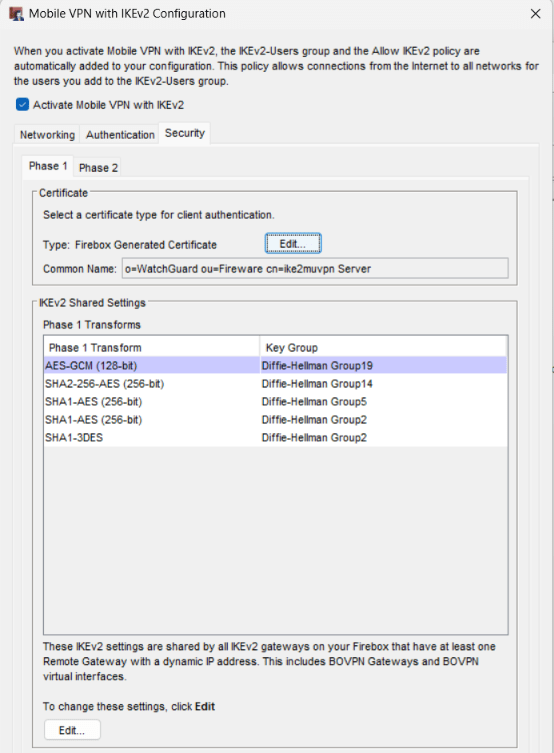
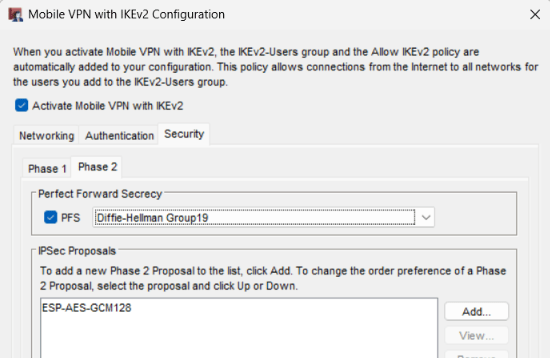
If you configure AES‑GCM in the IKEv2 Shared Settings as the first option, the IKEv2 Client Profile download cannot create the Windows AddVPN.ps1 installation script inside the IKEv2 *.tgz file.
Instead, it creates an error.txt file. The error message incorrectly claims that the Windows IKEv2 client does not support AES‑GCM in Phase 1.
This is not true — Windows 10 and Windows 11 fully support AES‑GCM for Phase 1.
A workaround is to move the AES‑GCM option to the second position in the IKEv2 Shared Settings. Then download the IKEv2 Client Profile from the Firebox. After the download, change AES‑GCM back to the first position again.
Edit the AddVPN.ps1 file (found in the IKEv2 Client Profile \Windows\ps folder) and change the following settings.
- -AuthenticationTransformConstants ‘GCMAES128’
- -CipherTransformConstants ‘GCMAES128’
- -DHGroup ‘ECP256’
- -EncryptionMethod ‘GCMAES128’
- -IntegrityCheckMethod ‘SHA256’
- -PfsGroup ‘ECP256’