IKEv2 with MS‑CHAPv2 cannot authenticate directly against LDAP, so a RADIUS server is required. The simplest option is Microsoft NPS, which is included with Windows Server. (FreeRADIUS works too, but this guide focuses on NPS.)
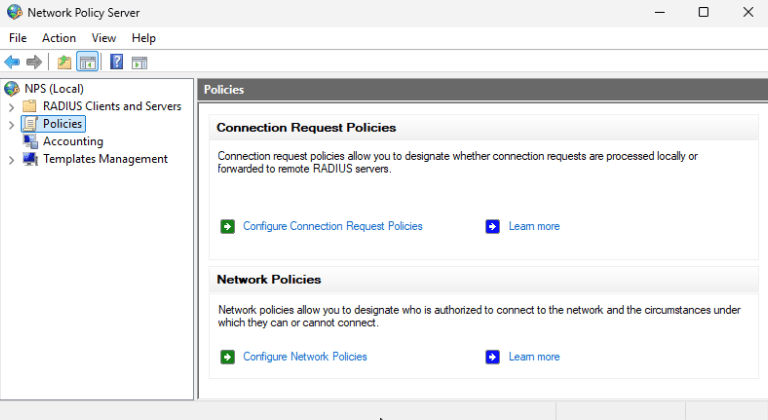
Install NPS on a Windows Server
You can install NPS on any Windows Server, including a Domain Controller.
Server Manager
Manage → Add Roles and Features
Select Network Policy and Access Services
PowerShell (Admin):
Install-WindowsFeature NPAS -IncludeManagementTools
Add the Firebox as a RADIUS Client
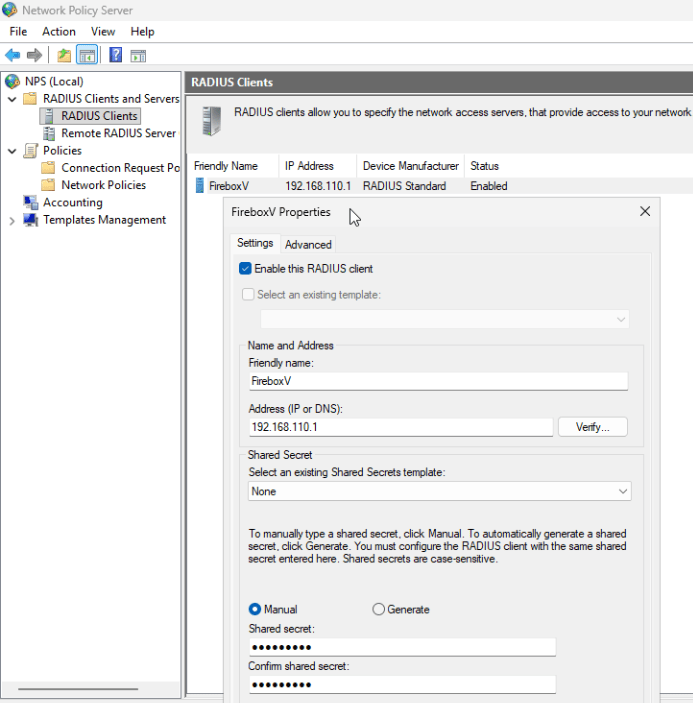
In NPS → RADIUS Clients and Servers → RADIUS Clients:
- Friendly name: Firebox name
- Address: (usually the internal IP address of the Firebox that is local to the RADIUS server)
- Shared Secret: Must match what you configure on the Firebox
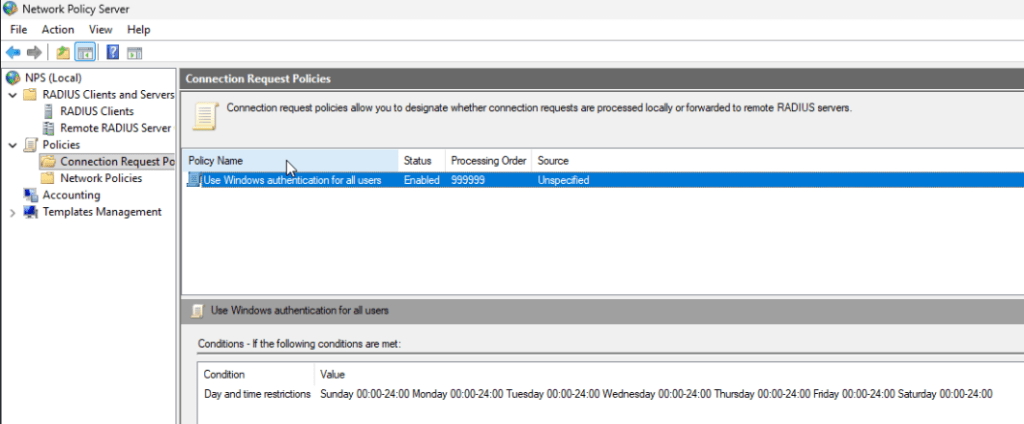
Ensure the Default Connection Request Policy Is Enabled
In Policies → Connection Request Policies, make sure the default policy is active. (You normally don’t need to modify it for IKEv2.)
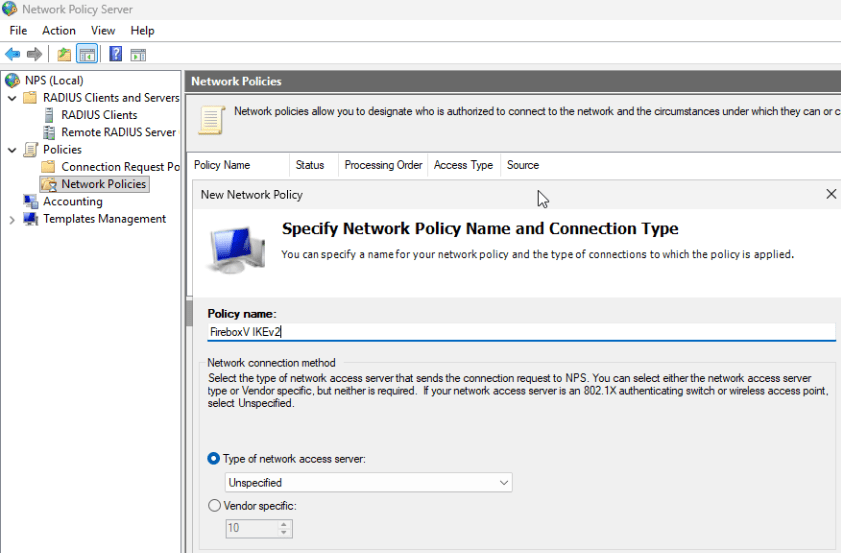
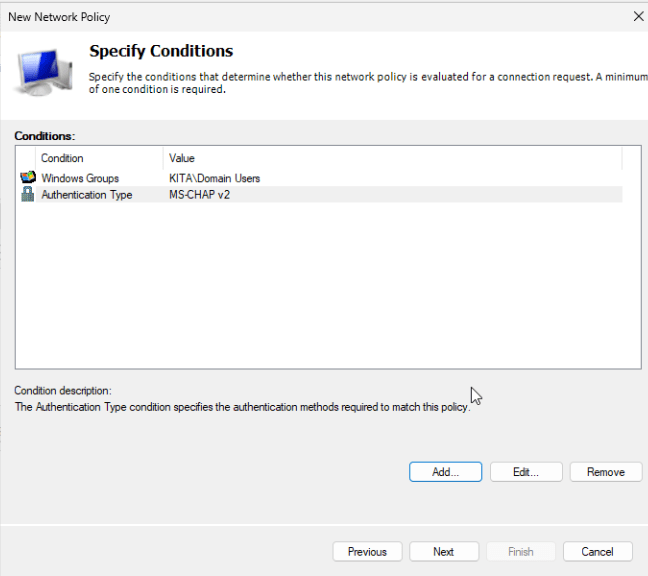
Policies → Network Policies → New
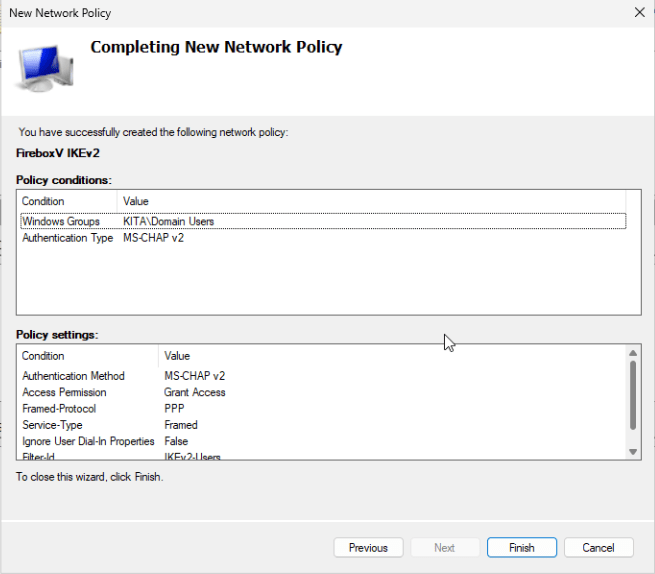
Specify Conditions
- Windows Group: Domain Users (or a specific VPN group)
- Authentication Type: MS‑CHAP‑v2
- You can add more conditions if needed or just add the Win group
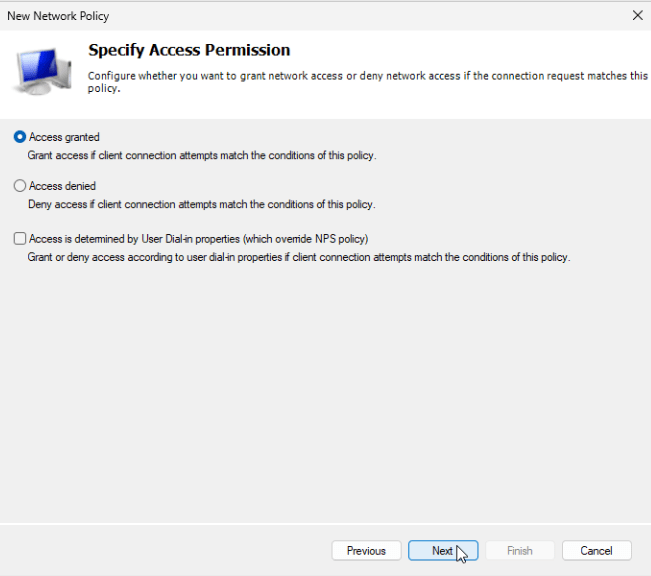
Specify Access Permission
Leave at Access granted (default)
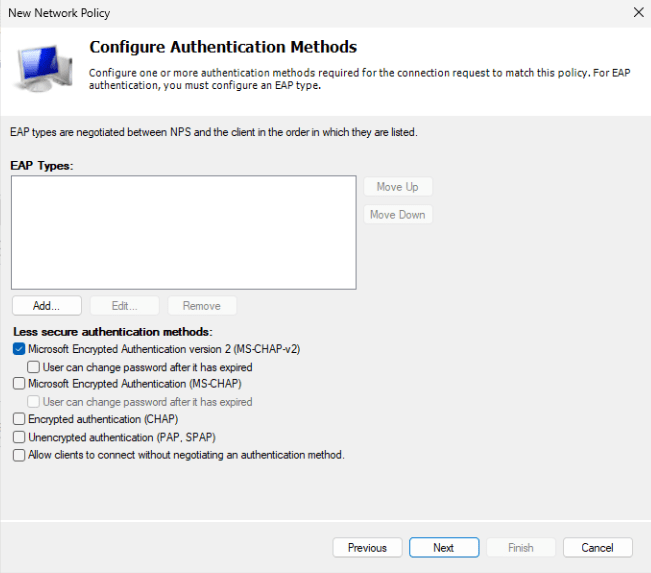
Configure Authentication Methods
Select only Microsoft Encrypted Authentication version 2 (MS‑CHAP‑v2)
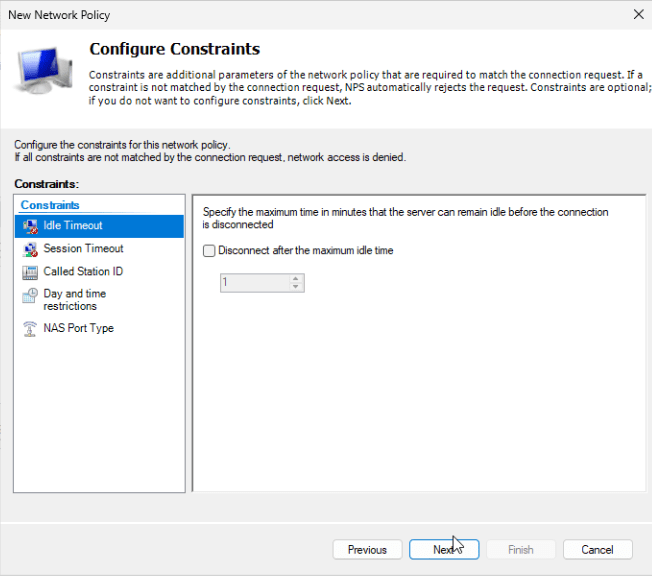
Configure Constraints
Keep defaults
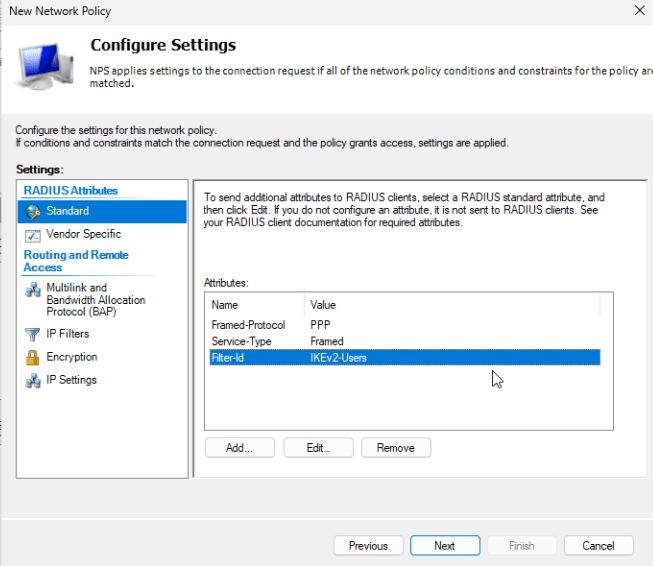
Configure Settings
Add a Filter‑Id attribute:
Click Add
Choose Filter‑Id
Enter: IKEv2-Users
⚠️ Important:
- The Filter‑Id must match exactly the group name configured in the Firebox IKEv2 settings
- It is case‑sensitive
- Default Firebox group name is IKEv2-Users
Finish the wizard
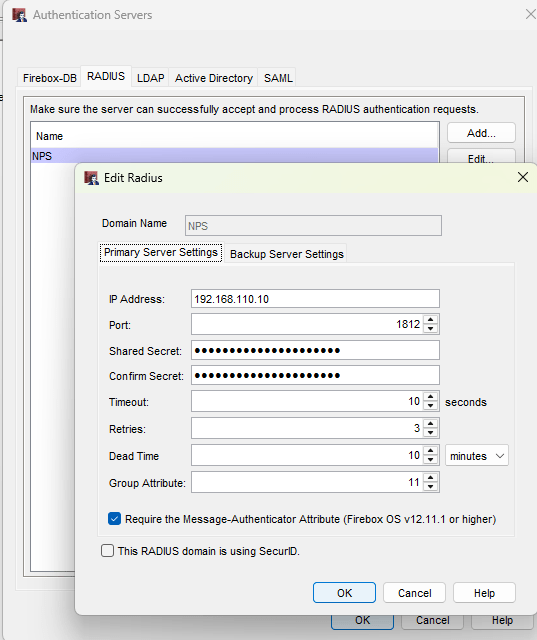
Configure RADIUS on the Firebox
In Authentication → Servers → RADIUS:
- Domain name: Any label name
- IP address: NPS server IP
- Shared Secret: Same as in NPS
- Leave other settings at default
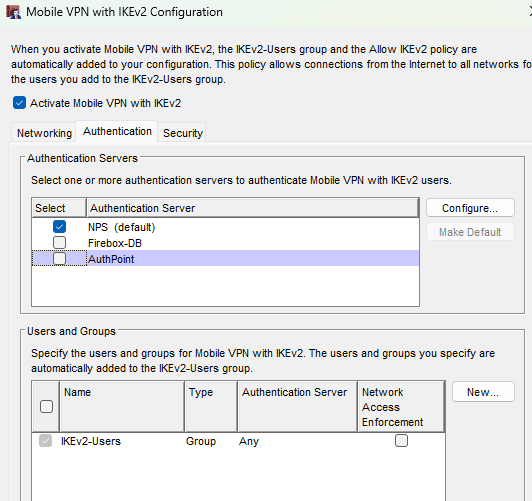
Configure IKEv2 to Use RADIUS
In VPN → Mobile VPN → IKEv2 → Authentication:
- Select the RADIUS server you created
- Ensure the Group Name matches the NPS Filter‑Id (e.g., IKEv2-Users)
How Radius Authentication Works
- The IKEv2 client connects to the Firebox
- Firebox sends the username/password to NPS via RADIUS
- NPS validates the user against Active Directory
- If authentication succeeds, NPS sends back:
- Access‑Accept
- Filter‑Id = IKEv2-Users
- Firebox applies the matching IKEv2 group policy and firewall rules