If you cannot use Microsoft Windows NPS for RADIUS authentication with Firebox IKEv2 and on‑prem Active Directory users, you can use FreeRADIUS on Linux instead. In this guide, you install Ubuntu, join it to Active Directory, and install the latest FreeRADIUS. FreeRADIUS will authenticate AD users with MS‑CHAPv2.
Environment example:
- Active Directory domain: kita.local
- Domain Controller: dc.kita.local (10.0.1.10)
- Ubuntu server 26.04: ubuntu.kita.local (10.0.1.5)
- Firebox: 10.0.1.1
- Test user: User2 / password
If you need help installing Ubuntu, follow this guide: https://mangen.kitabara.org/index.php/installing-the-watchguard-threatsync-ndr-collection-agent-on-ubuntu-linux/
After Ubuntu is installed and updated, set the hostname and FQDN.
sudo nano /etc/hosts127.0.0.1 ubuntu.kita.local ubuntu
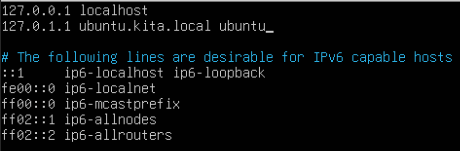
Check hostname.
hostname
hostname -f
hostname
hostname -f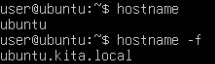
Install Samba and join Ubuntu to Active Directory.
sudo apt-get install samba winbind libnss-winbind krb5-user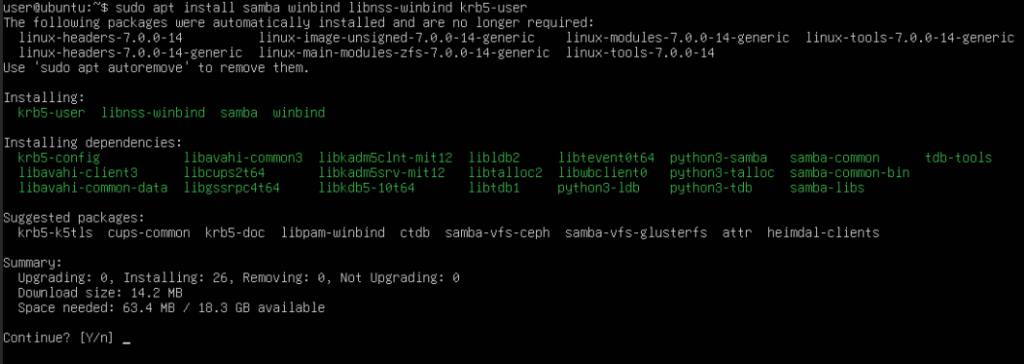
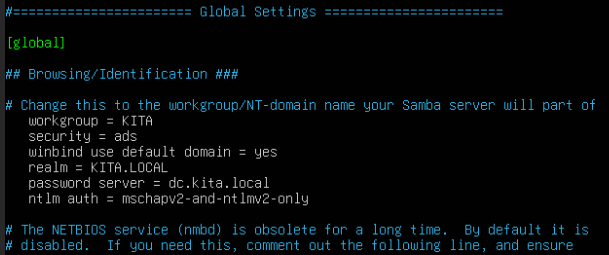
Edit Samba configuration:
sudo nano /etc/samba/smb.conf
Add this under [global] settings.
workgroup = KITA
security = ads
winbind use default domain = yes
realm = KITA.LOCAL
password server = dc.kita.local
ntlm auth = mschapv2-and-ntlmv2-only
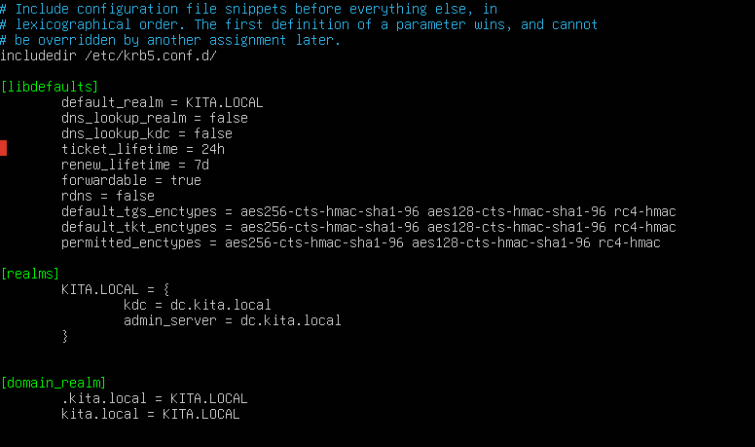
Edit Kerberos config:
sudo nano /etc/krb5.conf[libdefaults]
default_realm = KITA.LOCAL
dns_lookup_realm = false
dns_lookup_kdc = false
ticket_lifetime = 24h
renew_lifetime = 7d
forwardable = true
rdns = false
default_tgs_enctypes = aes256-cts-hmac-sha1-96 aes128-cts-hmac-sha1-96 rc4-hmac
default_tkt_enctypes = aes256-cts-hmac-sha1-96 aes128-cts-hmac-sha1-96 rc4-hmac
permitted_enctypes = aes256-cts-hmac-sha1-96 aes128-cts-hmac-sha1-96 rc4-hmac
[realms]
KITA.LOCAL = {
kdc = dc.kita.local
admin_server = dc.kita.local
}
[domain_realm]
.kita.local = KITA.LOCAL
kita.local = KITA.LOCAL
Reboot Ubuntu.
Join Ubuntu to Active Directory.
Use an AD domain admin account.
sudo kinit Administratorsudo klist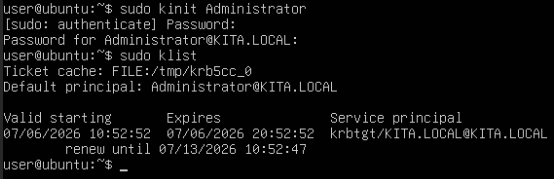
sudo net ads join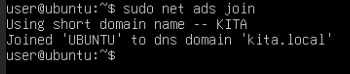
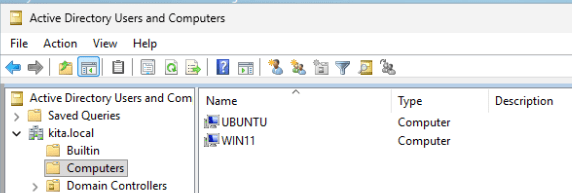
Reboot Ubuntu.
Test AD connection.
wbinfo -u # list AD users
wbinfo -g # list AD groups
wbinfo -uwbinfo -g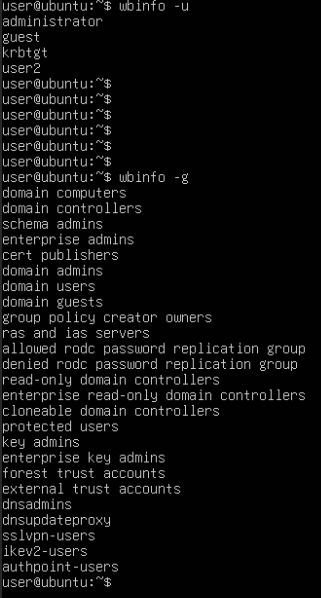
Test AD user authentication.
ntlm_auth --request-nt-key --domain=kita.local --username=user2 --password=passwordIf authentication works, you will see:
: (0x0) is OK

Install latest FreeRADIUS from InkBridge Networks.
Go to: https://packages.inkbridgenetworks.com/ and choose FreeRADIUS v3.2 stable and your Linux distributions.
Add repository key, APT preferences, and repository.



Install FreeRADIUS.
sudo apt-get update
sudo apt-get install freeradius freeradius-utils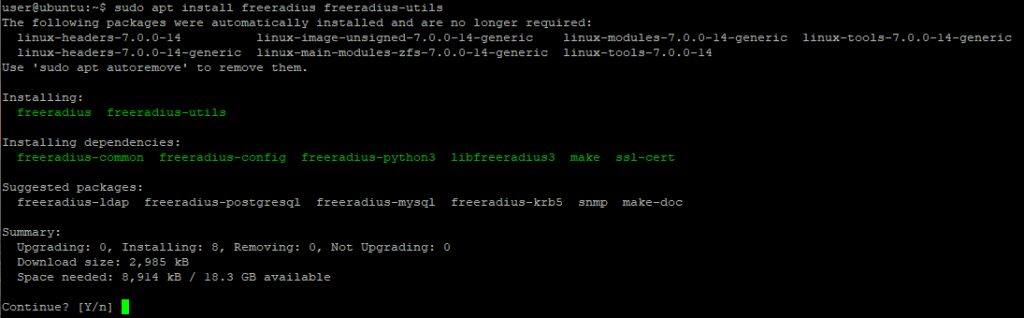
Note the FreeRADIUS path change.
- Old path: /etc/freeradius/3.0/mods-enabled/mschap
- New path (3.2.x): /etc/freeradius/mods-enabled/mschap
Check FreeRADIUS version:
freeradius -v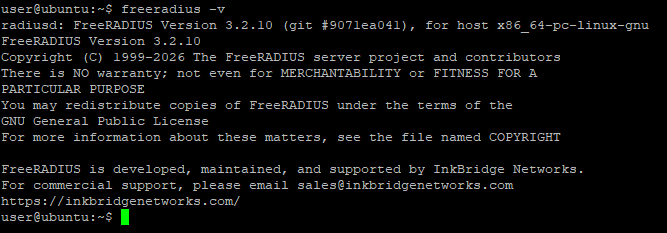
Check FreeRADIUS service status.
sudo systemctl status freeradius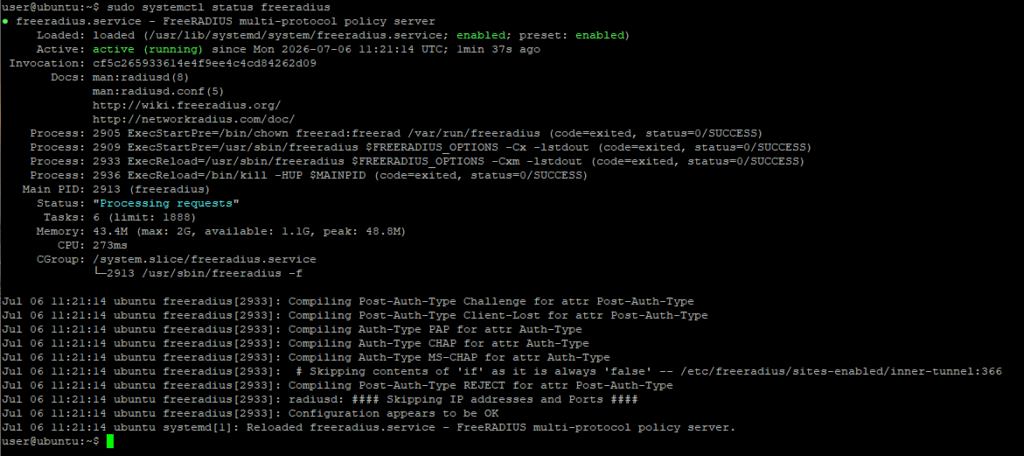
Stop FreeRADIUS service and check status.
sudo systemctl stop freeradiussudo systemctl status freeradius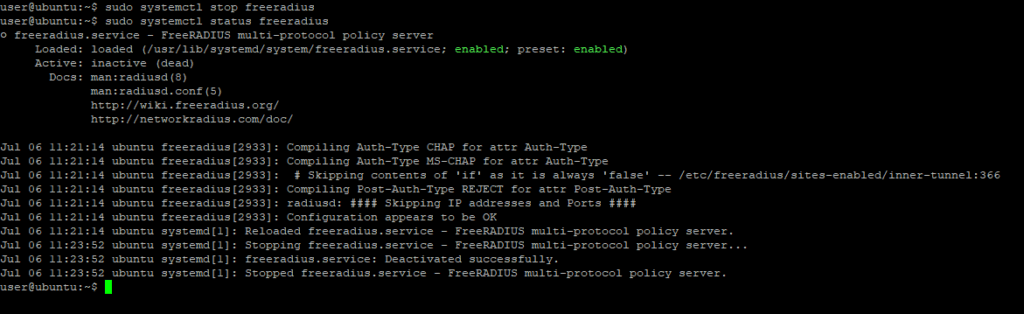
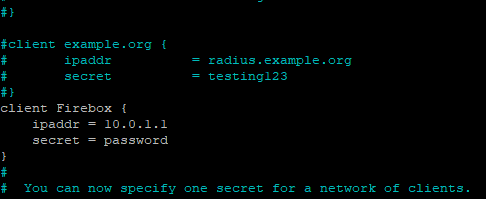
Add Firebox as a RADIUS client:
Edit clients.conf.
ipaddr = Firebox interface IP that sends RADIUS requests
secret = shared secret (must match on Firebox)
sudo nano /etc/freeradius/clients.confclient Firebox {
ipaddr = 10.0.1.1
secret = password
}
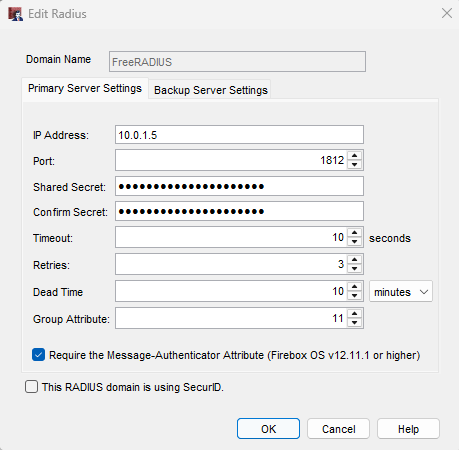
Configure RADIUS on the Firebox.
- In Authentication → Servers → RADIUS:
- Domain name: Any label name
- IP address: FreeRADIUS server IP
- Shared Secret: Same as the FreeRADIUS clients.conf file secret.
- Leave other settings at default
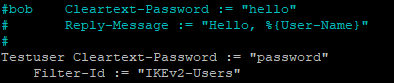
Create a local FreeRADIUS test user.
sudo nano /etc/freeradius/usersTestuser Cleartext-Password := "password"
Filter-Id := "IKEv2-Users"
Configure Firebox IKEv2 to Use RADIUS.
- In VPN → Mobile VPN → IKEv2 → Authentication:
- Select the RADIUS server you created
- Ensure the Group Name matches the Testuser Filter‑Id you configured in the Users file.
(Firebox default is IKEv2-Users)
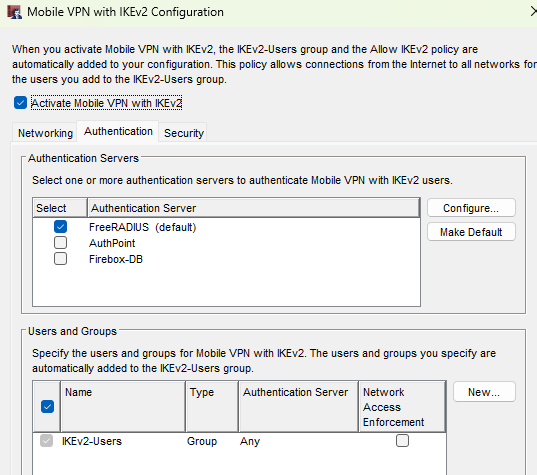
Start FreeRADIUS in debug mode and test Firebox IKEv2 login with the local FreeRADIUS testuser.
(Stop debug mode with Ctrl+C)
sudo freeradius -X

Configure FreeRADIUS to use Active Directory.
sudo nano /etc/freeradius/mods-enabled/mschapntlm_auth = "/usr/bin/ntlm_auth --request-nt-key --allow-mschapv2 --username=%{%{Stripped-User-Name}:-%{%{User-Name}:-None}} --challenge=%{%{mschap:Challenge}:-00} --nt-response=%{%{mschap:NT-Response}:-00} --domain=KITA"- uncomment the ntlm_auth line
- fix the path to /usr/bin/ntlm_auth
- add –domain=KITA

Edit default site.
sudo nano /etc/freeradius/sites-enabled/defaultAdd under authenticate settings.
ntlm_auth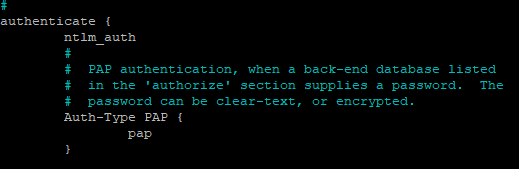
Add under post-auth settings.
update reply {
    Filter-ID = "IKEv2-Users"
}
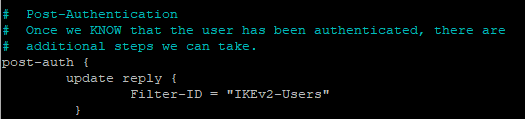
Edit inner‑tunnel.
sudo nano /etc/freeradius/sites-enabled/inner-tunnelAdd under authenticate settings.
ntlm_authAllow FreeRADIUS to use winbind.
sudo usermod -aG winbindd_priv freeradius
Start FreeRADIUS in debug mode and test AD login
sudo freeradius -XStart FreeRADIUS as service.
Stop debug mode (Ctrl+C)
sudo systemctl start freeradiussudo systemctl status freeradius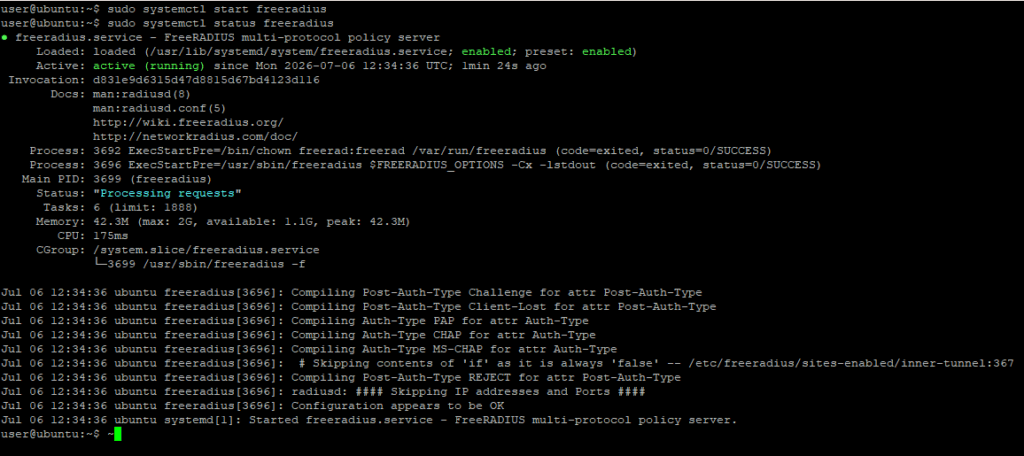
Reboot Ubuntu and test that IKEv2 login still works OK.